Overview of My Home Network
First, a brief introduction to my home network setup. At the moment, I mainly use a Minisforum MS-01 as the hardware carrier for All in Boom. The MS-01 comes with two 10G SFP ports, which greatly increases its flexibility and potential. To get rid of the bulky ISP optical modem, I bought a 10G EPON ONU stick (Cambridge XE-99S) so that the MS-01 can dial directly for internet access. The other SFP port on the MS-01 is connected downstream via a DAC cable to a Xike 2.5G switch, with multiple Xiaomi and Redmi wireless router devices such as the BE7000 and AX6000 attached externally, forming a complete home network.
To make full use of the MS-01's performance, I installed PVE (Proxmox Virtual Environment) as its virtualization platform. It mainly runs the following virtual instances internally:
- RouterOS: The soft router, which dials directly to the internet through the ONU stick. Shanghai Telecom's configuration is relatively simple: you only need to configure the correct LOID in the ONU stick and the correct broadband account and password in RouterOS to connect normally. There are no particular technical difficulties.
- Main Server: A Debian server that exposes multiple ports to connect with a VPS, while also serving as the entry point for external access to the internal network. Services within this instance allow access into the LAN from the outside.
- DNS Server: A Debian server running AdGuardHome and SmartDNS to provide clean DNS services within the home network.
From ImmortalWrt to DAE
As a committed Surge user, I had not needed to spend much effort on a home DNS setup for a long time, because Surge already handles DNS resolution and traffic management very well. However, in daily use, I did run into situations where some household devices (Linux, Windows) needed normal access to the external internet, so I once added an ImmortalWrt instance to solve this problem.
However, ImmortalWrt's various plugins are relatively chaotic, and most provide all-in-one solutions, which makes troubleshooting difficult when problems occur. Sometimes there would be situations where internet access simply did not work properly. So I began looking for a simpler and more controllable alternative, and eventually found DAE, which offers better performance (though it is not very well known).
DAE performs traffic routing at the kernel level, which can effectively improve the performance of direct traffic. Since DAE does not use the Fake IP mode that I am familiar with, and because I am somewhat perfectionistic about DNS configuration, I started trying to build a clean home DNS service.
DNS Requirements Analysis
Before starting to build the DNS solution, my requirements were very clear:
- Basic DNS ad-blocking functionality
- The DNS server should return results quickly to reduce waiting time
- The DNS server should return accurate results: the resolved IP should be optimal, with the lowest latency and no pollution
After a period of research and practice, I ultimately chose a combined solution with AdGuardHome as the front-end ad filter and SmartDNS as the main DNS request service.
Why I Chose This Solution
Ad Blocking: Why Choose AdGuardHome
Although almost all DNS servers are capable of filtering ad domains, AdGuardHome, as a mature and stable ad-blocking tool, has the following advantages:
- Provides a visual interface where all DNS request logs can be viewed
- Rule updates are simple and intuitive
- Flexible configuration with strong customizability
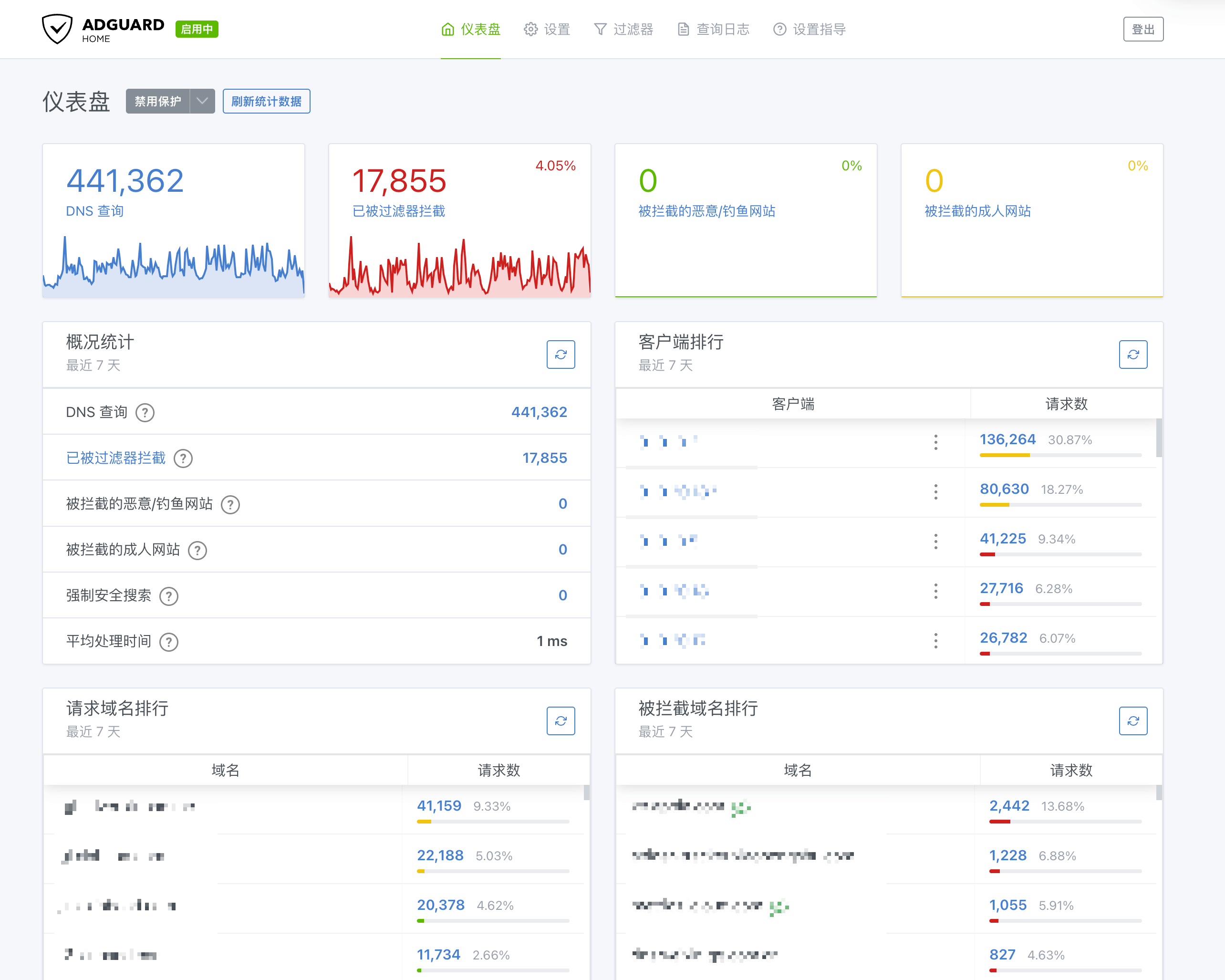
AdGuardHome
DNS Server: SmartDNS vs MosDNS
Currently, the two most popular DNS server choices online are SmartDNS and MosDNS.
| Function | SmartDNS | MosDNS |
|---|---|---|
| Overview | A high-performance DNS resolution acceleration tool that queries multiple servers and returns the optimal IP | A modular DNS resolution tool suitable for complex DNS needs |
| Key Features | Supports concurrent queries to multiple servers and returns the optimal result after speed testing | Flexible rule engine with support for advanced functions such as DNS routing fallback |
One clever design of SmartDNS is this: when it concurrently queries multiple DNS servers for a new domain, it first returns the fastest result with TTL=3 seconds, ensuring the client receives an answer as quickly as possible. At the same time, it performs speed tests on the results returned by all DNS servers (via TCP or ICMP) and caches the optimal result. When the client's DNS record expires after 3 seconds and a new query is made, SmartDNS directly returns the optimal result from the cache.
After trying both for a short period, and considering my personal needs, I ultimately chose SmartDNS. In my usage scenario, I probably do not need relatively complex logic such as DNS fallback, while DNS speed testing is more important.
About DNS Leaks
Personally, I believe there is no need to focus excessively on DNS leaks. More attention should be paid to the accuracy and stability of DNS resolution results. Although bringing up the topic of DNS leaks may trigger endless arguments, my view is this: if a third party truly wants to analyze your traffic, they can do so simply by sniffing TLS packets. There is no need to sacrifice DNS resolution speed and user experience just to ensure DNS is 100% leak-free. For me, it is enough to ensure that sensitive domains are not resolved by domestic recursive DNS servers.
DNS Request Strategy
Based on SmartDNS's characteristics and my actual needs, my DNS request strategy is as follows:
- Domestic domains: Use only domestic recursive DNS servers for resolution, perform speed testing, and use the optimal result
- Foreign sensitive domains: Use only foreign recursive DNS servers for resolution, without speed testing
- Foreign ordinary domains: Use only foreign recursive DNS servers for resolution, perform speed testing, and use the optimal result
- Uncategorized domains: Use both domestic and foreign recursive DNS servers for resolution, perform speed testing, and use the optimal result
Strategy Explanation
- Domestic domains: Given the complex domestic network environment, domestic DNS servers have targeted optimizations and are better suited to local conditions. Combined with SmartDNS's speed-testing capability, they can provide optimal resolution results.
- Foreign sensitive domains: Use only foreign recursive DNS servers for resolution. Note that unencrypted DNS protocols cannot be used here. Common DOH (DNS over HTTPS) services are basically already being interfered with, so you may need to self-host or use the ZeroTrust DNS service provided by Cloudflare. Since most IPs resolved from foreign sensitive domains are already blocked, and most internet circumvention tools will prioritize resolving the requested domain again on the VPS, there is no need for speed testing.
- Foreign ordinary domains: If it can be determined that a domain is foreign, use only foreign recursive DNS servers for resolution to prevent interference from domestic results.
- Uncategorized domains: Since it is difficult to accurately distinguish whether they belong to domestic or foreign services (especially websites using CDN), both domestic and foreign DNS servers are used for resolution, and the optimal result is selected after speed testing. Because my home uses China Telecom's premium network, access speed to foreign websites is also relatively stable (especially in the Hong Kong region). For CDN-related resources, when using Cloudflare DNS (whose Anycast technology may select Hong Kong nodes), it may also return some Hong Kong IPs. These IPs can compete together with the IPs returned by domestic DNS servers, and the best result can be chosen from among them.
Detailed Configuration
AdGuardHome Configuration
The configuration for AdGuardHome is relatively simple:
- Change the upstream DNS address to
127.0.0.1:153(pointing to SmartDNS) - Disable all cache policies inside AdGuardHome and leave cache management entirely to SmartDNS
- Add ad-blocking rules as needed. Personally, I use the rules maintained by SKK
SmartDNS Configuration
I divided the DNS servers in SmartDNS into three groups:
- direct group: Mainly handles domestic domains and directly uses UDP DNS
# Aliyun
server 223.5.5.5 -group direct
# DNSPod
server 119.29.29.29 -group direct
- proxy group: Handles foreign sensitive domains using encrypted DOH
# Cloudflare ZeroTrust
server-https https://xxxx.cloudflare-gateway.com/dns-query -group proxy
- global-lite group: Mainly handles NTP-related domains. These domain requests are very frequent, so to avoid consuming the quota limits of the Cloudflare worker mentioned above, it directly uses Cloudflare's UDP DNS service
server 1.1.1.1 -group global-lite
server 1.0.0.1 -group global-lite
Domain Rule Configuration
I use the following domain lists to distinguish between different types of domains:
| List | Description | Link |
|---|---|---|
| direct-list | Direct connection list | https://raw.githubusercontent.com/Loyalsoldier/v2ray-rules-dat/release/direct-list.txt |
| cn-apple-list | Apple domain list for mainland China; since I use Apple devices frequently in daily life, I handle this separately | https://raw.githubusercontent.com/Loyalsoldier/v2ray-rules-dat/release/apple-cn.txt |
| cn-cdn-list | Domestic CDN domain list | https://raw.githubusercontent.com/pmkol/easymosdns/main/rules/cdn_domain_list.txt |
| proxy-list | Foreign domain list | https://raw.githubusercontent.com/Loyalsoldier/v2ray-rules-dat/release/proxy-list.txt |
| gfw-list | Foreign sensitive domain list | https://raw.githubusercontent.com/Loyalsoldier/v2ray-rules-dat/release/gfw.txt |
Note: The downloaded domain list files need to be processed to match SmartDNS rule format:
- Replace
full:at the beginning of each line with-. - Remove
domain:at the beginning of each line - If a line starts with
regexp:, ignore it directly
To ensure SmartDNS rules stay up to date, you can write a scheduled task to periodically update these list files and restart the SmartDNS service to make the updates take effect.
Complete Configuration
SmartDNS Configuration File
Domain Rule Update Script
I wrote a simple script to fetch the latest rules every day. After processing them, if any updates are found, it restarts SmartDNS. It is simply configured in crontab to update once per day.
Summary
This DNS configuration has performed well in real-world use and satisfies my needs for a home network: clean, ad-free, responsive, and accurate in resolution. By combining AdGuardHome and SmartDNS, it not only ensures effective ad blocking, but also intelligently selects the best DNS resolution results.
Of course, everyone's network environment and needs are different, so adjustments and optimizations can be made according to actual circumstances. Feel free to discuss it with me~